Subdomain Enumeration
Task 1 - Brief
Subdomain Enumeration is the process of finding all the smaller websites (subdomains) connected to a main website. For example, if the main website is example.com, subdomains might include shop.example.com, mail.example.com, or admin.example.com.
Finding subdomains helps expand the “attack surface,” which means you’re looking for more places where vulnerabilities might exist. A subdomain could:
- Host a poorly secured login page.
- Contain test or backup systems.
- Reveal sensitive data that wasn’t meant to be public.
How Do We Find Subdomains
There are three main methods:
Brute Force
This is like guessing every possible subdomain name by using a list of common names (a wordlist). Tools send requests like:
shop.example.com mail.example.com test.example.com If a response comes back, you’ve found a valid subdomain.
OSINT (Open-Source Intelligence):
This involves using freely available tools or sources, like search engines, DNS records, or third-party databases, to find subdomains without directly attacking the website.
Virtual Host
Some websites host multiple subdomains on the same IP address. By making requests with different names (e.g., test.example.com), you can sometimes discover subdomains even if they’re not visible in public records.
Subdomains can sometimes be overlooked during security testing, so they may have weaker security or contain sensitive data. Finding them gives you more opportunities to identify vulnerabilities.
In simple terms, subdomain enumeration is like searching for all the hidden doors in a building, not just the main entrance, to see if there’s an easier way to get inside.
Question What is a subdomain enumeration method beginning with B?
Click to see Answer
BruteforceQuestion What is a subdomain enumeration method beginning with O
Click to see Answer
OSINTQuestion What is a subdomain enumeration method beginning with V?
Click to see Answer
Virtual HostTask 2- OSNIT - SSL/TLS Certifications
When a website uses SSL/TLS certificates (the “lock” icon you see in your browser), those certificates are created by trusted companies called Certificate Authorities (CAs). Whenever a certificate is issued, it gets logged in a public record called Certificate Transparency (CT) logs. These logs exist to ensure no one can secretly create fake or unauthorized certificates for a website.
Why This Matters: These public logs don’t just help with security; they can also help us find subdomains of a website. For example, if a certificate was issued for login.example.com, it will be listed in these logs, even if the subdomain isn’t publicly visible on the website.
How to Use It: There are tools and websites, like:
crt.sh Entrust Certificate Search You can search these tools to see all certificates issued for a domain. This can reveal current and past subdomains, such as:
mail.example.com test.example.com dev.example.com
Subdomains found in these logs might:
- Be forgotten or poorly secured.
- Contain sensitive or outdated systems.
- By checking these logs, you get another way to find potential weak points in a website’s security.
CT logs are like a public directory of all “locks” (SSL certificates) created for a website. Searching the directory can help you discover hidden “doors” (subdomains) that you didn’t know existed.
Go to crt.sh and search for the domain name tryhackme.com, find the entry that was logged at 2020-12-26 and enter the domain below to answer the question.
Question What is the TryHackMe subdomain beginning with S discovered using the above Google search?
Here’s the site. Search for tryhackme.com
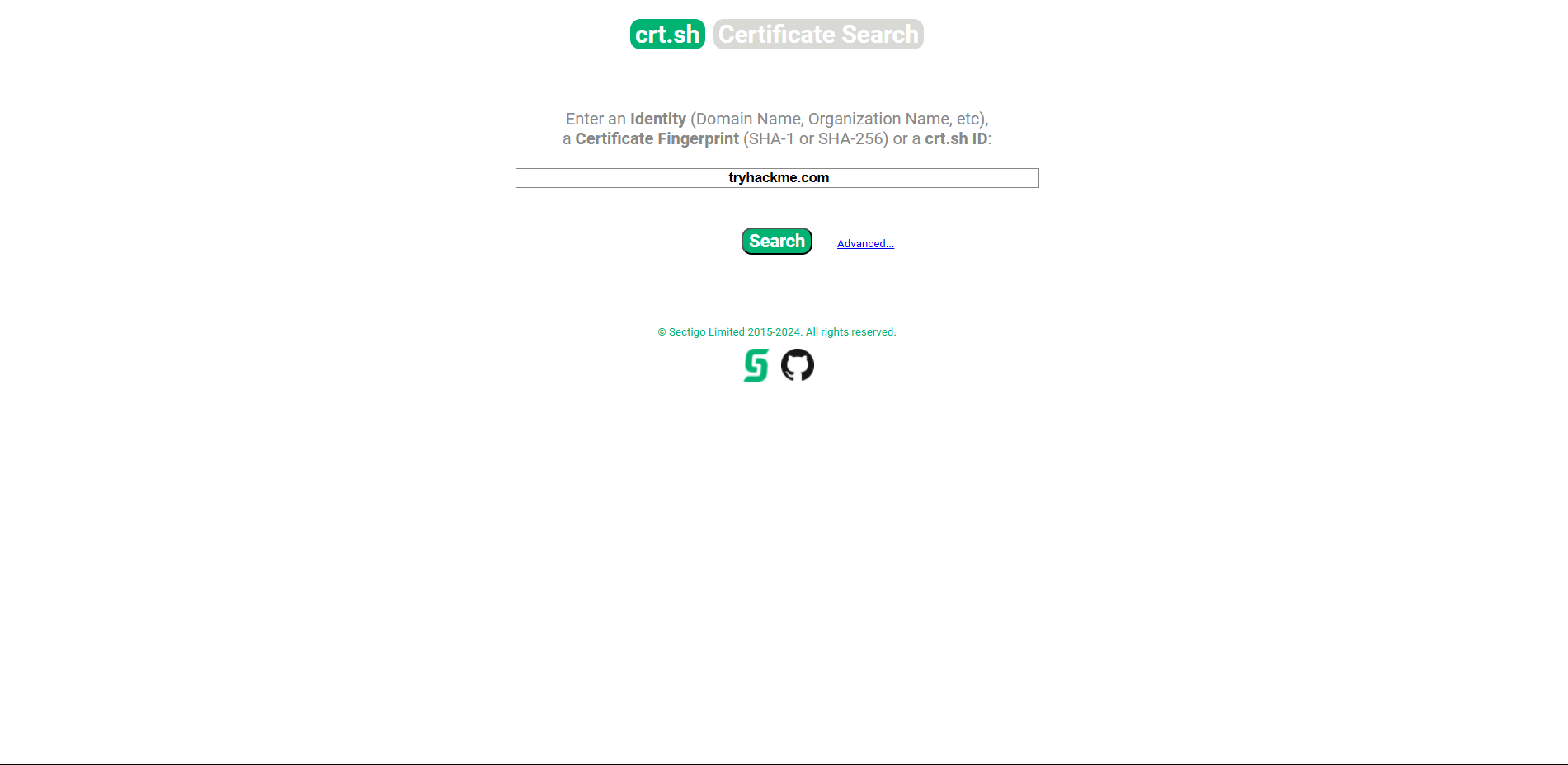
The results look this go through and you will find the domain with date using command/ctrl+f

Click to see Answer
store.tryhackme.comTask 3 - OSNIT - Search Engines
Search engines like Google are not just for general searches—they can also be used to find hidden parts of a website, like its subdomains (smaller sections of the main website).
By using a site filter,myou can focus on one specific website and search for all its subdomains. Subdomains are like separate mini-sites under the same main domain.
For example: Main website: www.domain.com Subdomains: blog.domain.com, shop.domain.com, etc. Here’s how the search works as shown in the content discovery room:
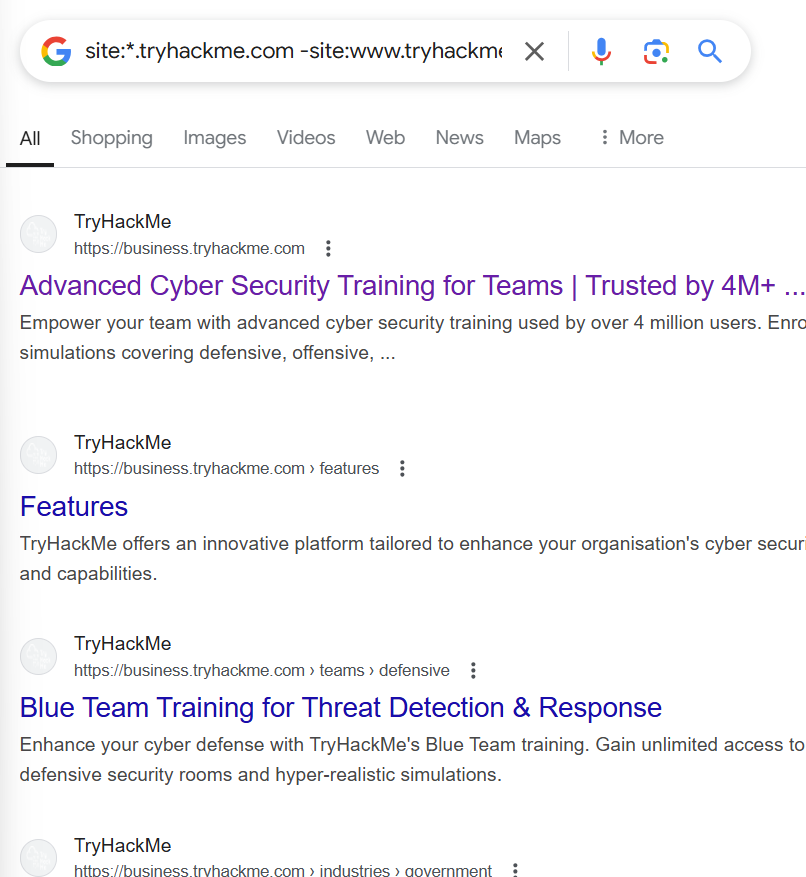
site:*.domain.com: This asks Google to show you all subdomains of the website (domain.com). The * means “anything” before .domain.com. -site:www.domain.com: This removes the results for the main website (www.domain.com), so you’re left with only subdomains. In the example:
Searching site:*.tryhackme.com -site:www.tryhackme.com will list all subdomains of tryhackme.com except the main one (www.tryhackme.com). Once you see the results, look for any subdomain (e.g., academy.tryhackme.com) to answer the question.
Click to see Answer
store.tryhackme.comQuestion What is the TryHackMe subdomain beginning with S discovered using the above Google search?(hint: Don’t just check on the first page.)
This is what the results look like. Notice how they all have “tryhackme” in it.
Task 4 - DNS Bruteforce
When you visit a website like www.example.com, your computer uses something called DNS (Domain Name System) to figure out the “address” of the website on the internet.
Now, websites often have subdomains, which are like smaller sections of the main site (e.g., blog.example.com, shop.example.com). To discover hidden subdomains, we can try guessing common ones by testing a list of potential subdomains, like:
blog.example.com
admin.example.com
mail.example.com
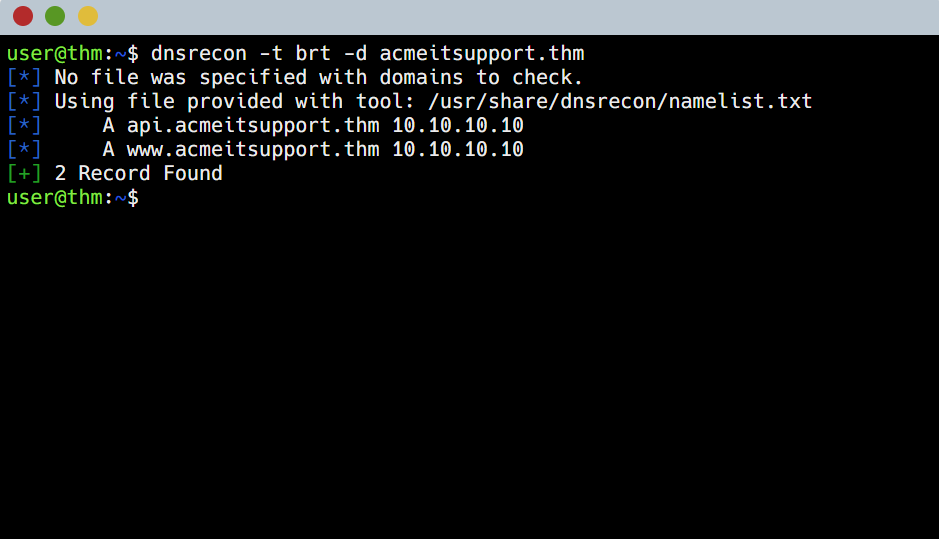
Since testing a long list of possibilities manually would take forever, we use tools like dnsrecon to automate the process. The tool quickly tries all the subdomains in the list and checks if they exist.
In this exercise:
- You open the simulation site.
- You press the “Run DNSrecon Request” button, which automatically performs the search for possible subdomains.
- You’ll see the results showing which subdomains exist for the website.
It’s like using a keyring with many keys to find the one that unlocks a door—only the right “key” (subdomain) will work!
Here’s what it looks like :
Click to see Answer
api.acmeitsupport.thmTask 5 - OSNIT - Sublist3r
When investigating a website to discover its hidden parts (subdomains), like blog.example.com or admin.example.com, doing it manually can take a long time. Tools like Sublist3r make this process much faster by automating the search.
Sublist3r works by gathering subdomain information from different sources, like search engines (Google, Bing, etc.), online tools, and public records, to find as many subdomains as possible.
In this task:
-
You click the “View Site” button to open a simulated website. 2. You run the Sublist3r simulation, which will quickly search for subdomains related to the main website.
-
Once it finishes, it will list the subdomains it discovered, and you use this information to answer the question.
Think of it like having a robot do the hard work of searching for all the doors (subdomains) in a big building (the main website) instead of checking them one by one yourself.
As you can see these 2 tools are similar
Question
What is the first subdomain discovered by sublist3r?
Click to see Answer
web55.acmeitsupport.thmTask 6 - Virtual Hosts
Some subdomains, like secret test sites or admin portals, aren’t visible in the public DNS system (which tells computers where websites are on the internet). Instead, they might only exist in private settings, like:
A developer’s computer in a special file that links names (like test.domain.com) to internet addresses. A private DNS server not accessible to everyone. When a web server (a computer hosting websites) is asked for a site, it uses something called the Host header to figure out which specific website the visitor wants. This is helpful when the same server is hosting multiple websites.
To discover hidden subdomains, we can trick the server by changing he Host header in our requests and checking its responses. For example:
We send a request pretending to visit test.domain.com. If the server responds with a valid page, we’ve found a new subdomain! If it says “not found” or errors out, the subdomain likely doesn’t exist. Just like with DNS Bruteforce, this process can be automated using a list of common subdomain names to speed it up.
In short, this method is like trying out different fake addresses on a shared mailbox to see if you get a response, which could reveal hidden websites.
Start an AttackBox and then try the following command against the Acme IT Support machine to try and discover a new subdomain.
ffuf -w /usr/share/wordlists/SecLists/Discovery/DNS/namelist.txt -H "Host: FUZZ.acmeitsupport.thm" -u http://MACHINE_IP
Here’s how it works:
-w switch: This specifies the wordlist (a file with a long list of possible subdomain names) that the tool will try.
In this case, the file is namelist.txt from a directory of pre-made wordlists.
-H switch: This allows us to modify the Host header in the request.
The FUZZ keyword is where the tool will insert each word from the wordlist, one by one, to test for possible subdomains. For example, it will try: test.acmeitsupport.thm admin.acmeitsupport.thm And so on. -u switch: This specifies the target URL where the requests will be sent. Replace MACHINE_IP with the actual server’s IP address.
The Problem: Every test might seem valid because the server gives a response, even if the subdomain doesn’t exist. This makes it hard to know what’s real.
The Solution: Use the -fs switch to filter out results based on the size of the page the server returns.
From your earlier test, figure out the most common page size (likely the “default” response when the subdomain doesn’t exist). Replace {size} eg: 2222 in the command with this number to filter out unhelpful results. The tool will then only show responses with a different page size, which could indicate valid subdomains.
Question
What is the first subdomain discovered?
Click to see Answer
deltaQuestion
What is the second subdomain discovered?