Idor
Task 1 - What is an IDOR?
An IDOR vulnerability (Insecure Direct Object Reference) is a security flaw on websites or apps that lets people access things they’re not supposed to—like files, data, or someone else’s account information—by changing a value in the URL or request.
Imagine you’re logged into an online shopping site, and your profile page URL looks like this:
https://example.com/user/1234
The number 1234 represents your user ID.
If the site doesn’t properly check who’s logged in, you could simply change the number in the URL to something like:
https://example.com/user/5678
And now you’re looking at another user’s account.
Why does this happen?
The server trusts that the number you entered is valid and doesn’t double-check whether you’re allowed to access that specific account or data.
How this happens:
The app trusts the user-provided input (like 1234 in the URL) too much.
The server doesn’t confirm whether the user is allowed to access what they’re requesting.
Why it’s bad:
Hackers could use this to steal sensitive information, access accounts, or even modify data they don’t own.
To fix it, developers need to make sure the server checks whether users have permission to access the data or objects they’re requesting, instead of blindly trusting what’s in the URL or request.
Question
What does IDOR stand for?
Click to see Answer
Insecure Direct Object ReferenceTask 2 - An IDOR Example?
Imagine you’ve just signed up for an online service, and you want to change your profile information. The link you click on goes to http://online-service.thm/profile?user_id=1305, and you can see your information.
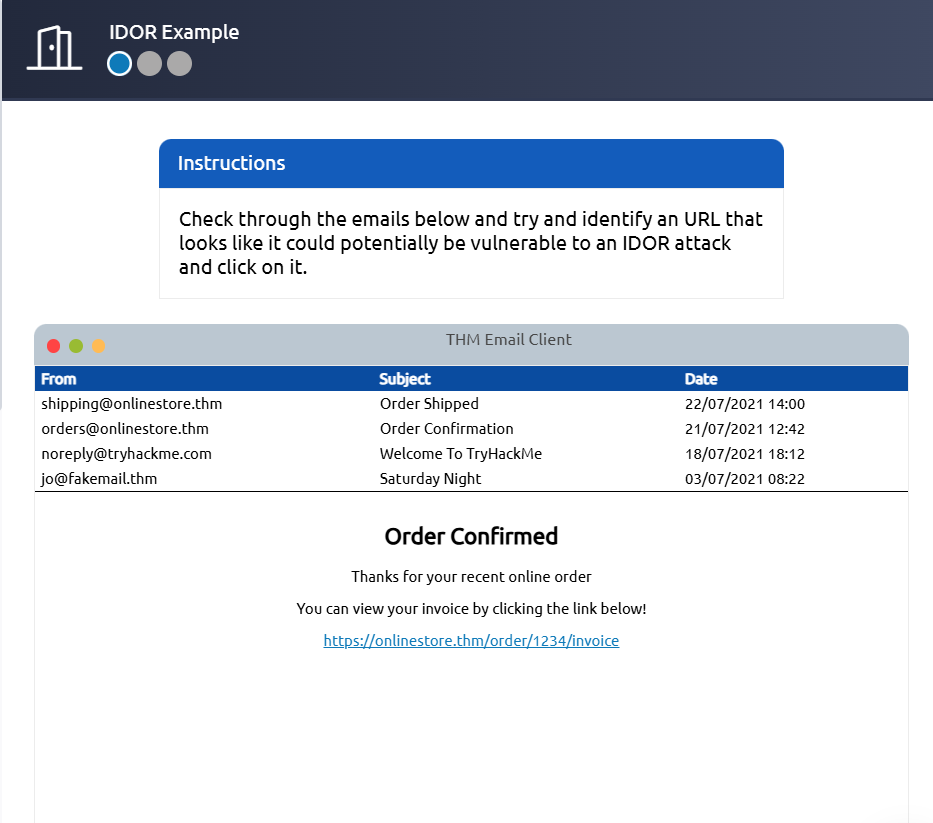
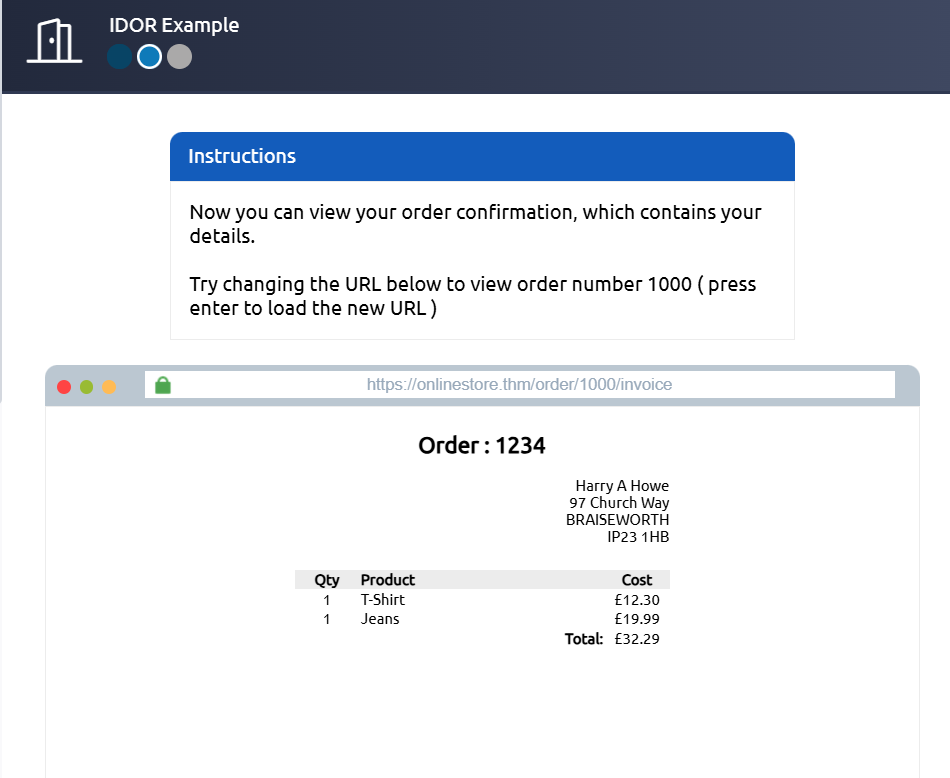
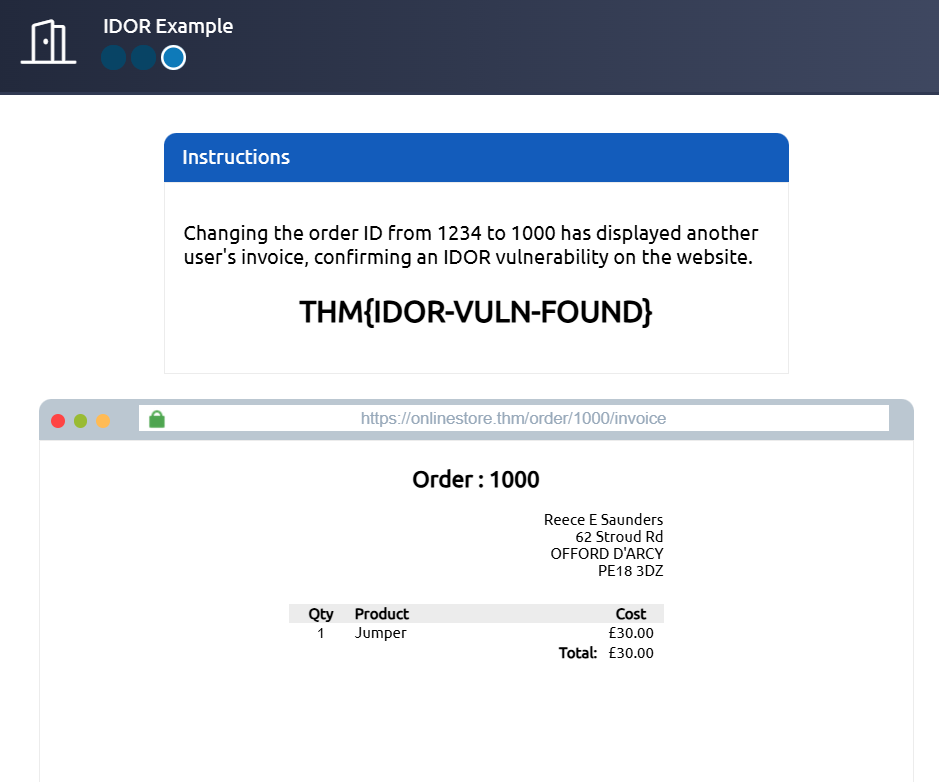
Curiosity gets the better of you, and you try changing the user_id value to 1000 instead (http://online-service.thm/profile?user_id=1000), and to your surprise, you can now see another user’s information. You’ve now discovered an IDOR vulnerability! Ideally, there should be a check on the website to confirm that the user information belongs to the user logged requesting it.
Using what you’ve learnt above, click on the View Site button and try and receive a flag by discovering and exploiting an IDOR vulnerability.
Question What is the Flag from the IDOR example website?
Click to see Answer
THM{IDOR-VULN-FOUND}Task 3 - Finding IDOORS in encoded Ids
Web developers often send data between webpages or servers in a way that makes sure it’s properly understood, even if the data includes tricky characters (like spaces, symbols, or binary stuff). To do this, they use something called encoding. Think of encoding like changing a language so it can be safely transported without breaking or being misunderstood.
What is Encoding? Imagine you’re sending a message in a secret code that only you and your friend can understand. Encoding changes the original data into a new format (like using a secret code). For example, it turns complicated or weird computer data into a simple string of letters, numbers, and sometimes symbols like =.
Base64 Encoding
The most common “secret code” for this purpose is called Base64.
It takes your data then transforms it into a string made up of letters (A-Z and a-z), numbers (0-9), and a few symbols (= for padding). You’ll know something is Base64-encoded because it often looks like a long, weird mix of letters and numbers, like this:
U29tZSBkYXRhIGhlcmUh This is Base64 for “Some data here!” 📝.
Why Use Encoding
Compatibility: Some data (like binary files or special characters) might not play well with webpages or systems. Encoding keeps it safe and readable.
Ease of Transport: It ensures data doesn’t break when sent through things like URLs or cookies.
Decoding and Testing
Now here’s the fun part for curious minds (or hackers 😉):
Decode: You can use tools like Base64 Decode to see what’s hiding in an encoded string.
Example: Decode U29tZSBkYXRhIGhlcmUh and get back “Some data here!” Edit and Re-encode: If you want to tweak the data, you can change the decoded version (e.g., “Some new data here!”), re-encode it using Base64 Encode, and submit it back.
Check the Result: After re-encoding and sending the updated data, you may notice the server responds differently, depending on what you changed.
This process can reveal vulnerabilities if a system doesn’t properly check or secure what it’s been sent, which is why it’s a common step in penetration testing.
Question
What is a common type of encoding used by websites?
Click to see Answer
THM{IDOR-VULN-FOUND}Task 4 - Finding IDORs in Hashed IDs
Hashed IDs are like taking an ID number (like 123) and running it through a “scrambler” to create a jumbled, unique-looking code, such as 202cb962ac59075b964b07152d234b70. This process is called hashing, and it’s done using algorithms like MD5. The purpose is to make the ID harder to guess or figure out.
However, some hashing methods, like MD5, aren’t very secure. Tools like CrackStation can reverse many hashes by comparing them to a huge list of known hashed values. For example, if 123 always hashes to 202cb962ac59075b964b07152d234b70, CrackStation can look this up and reveal the original number.
A hashed ID is just a scrambled version of the original ID. It might look complex, but if the scrambler (hashing algorithm) is weak, tools like CrackStation can “unscramble” it to find the original value.
Click to see Answer
md5Task 5 -Finding IDORs in Unpredictable IDs
Imagine you have two lockers at a gym, each with a unique number (like locker 101 and locker 102). You’re only supposed to open your locker using your key. However, you decide to try your key on the other locker, and it works! That means the gym didn’t secure the lockers properly—they didn’t check that your key only opens your locker.
In terms of IDOR (Insecure Direct Object Reference), it’s the same idea. You create two accounts on a website (like two lockers) and try switching their user IDs (like trying the wrong key). If you can see or edit the other account’s data while logged into your account (or even if you’re logged out), it’s a sign the website isn’t properly checking who has access. That’s the security flaw you’re looking for.
Question
What is the minimum number of accounts you need to create to check for IDORs between accounts?
Click to see Answer
2Task 6 Where are IDORs located
When you’re using a website, you might only see what’s obvious—like the main buttons and menus on the page. But behind the scenes, your browser is doing extra work. It’s secretly asking the website for additional information or features using hidden pathways, called “endpoints.” These aren’t always obvious because they don’t show up in the address bar—your browser just quietly fetches them.
Now, sometimes these endpoints are too open. Developers might leave behind features they used while building the site but forgot to lock down before making the site public. For example:
You visit a page showing your profile information, like /user/details. Normally, it only shows your data because you’re logged in. But while poking around, you find an extra trick: adding something like ?user_id=123 to the end of the URL (/user/details?user_id=123) lets you view someone else’s profile. That’s a security mistake—because the website isn’t checking properly whether you’re allowed to see that other person’s data.
This process of testing hidden or forgotten features is called parameter mining, and it helps you discover potential vulnerabilities like this.
Question
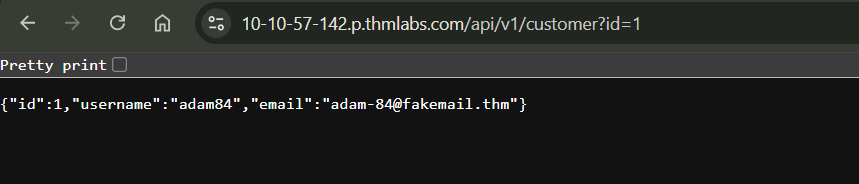
What is the username for user id 1?
Click to see Answer
adam84Question
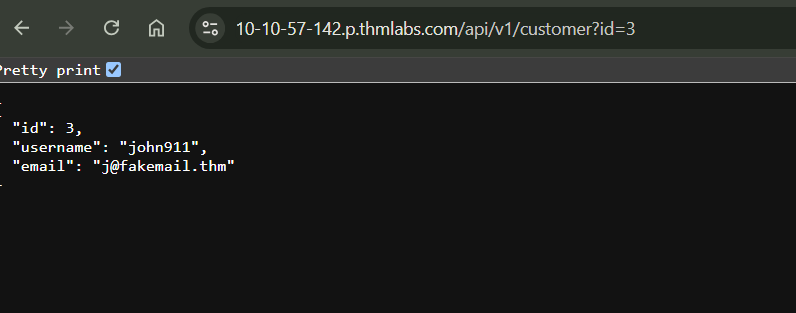
What is the email address for user id 3?
Click to see Answer
j@fakemail.thmTask 7 Practical IDOR Example
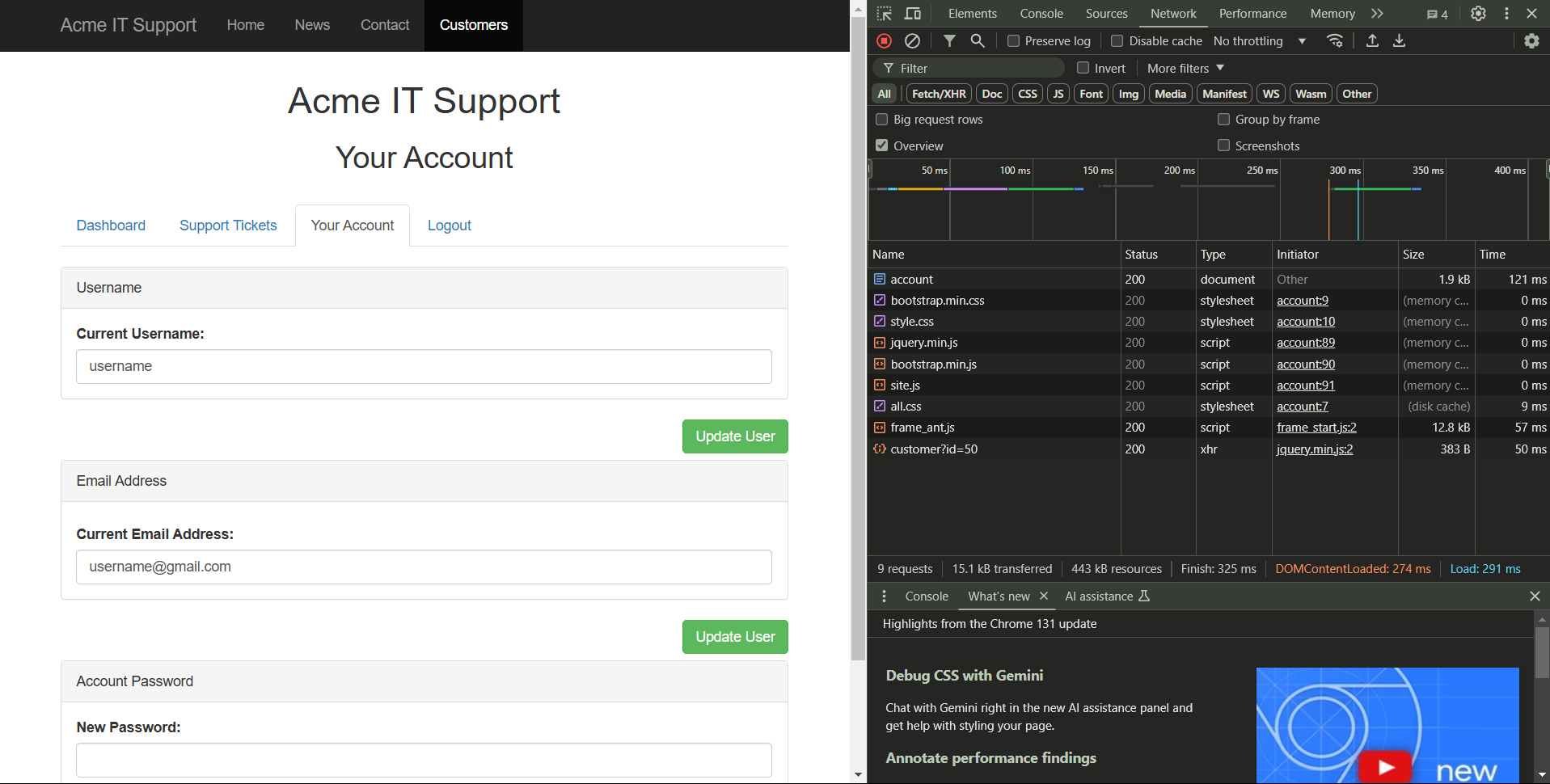
First we create an account then head over to the account tab like this: