Putting it all together
Task 1 Putting it all Together
When you request a website, your computer goes through a few steps to bring that page to your screen. Here’s how it works in simpler terms:
-
Finding the Address (DNS): Your computer first needs to know where to find the website. Websites live on servers, which have unique addresses called IP addresses (like a phone number for computers). To find it, your computer asks a service called DNS, which looks up and provides the IP address of the server.
-
Talking to the Server (HTTP): With the IP address, your computer can now talk to the server. It uses a language called HTTP, a set of rules that lets your computer and the server communicate. Your computer asks the server for the web page data using HTTP.
-
Getting the Website Data: The server sends back all the necessary pieces to build the page—HTML (the structure of the page), CSS (the styles and colours), JavaScript (to add interactivity), and images.
-
Displaying the Page: Your browser takes all these pieces and organizes them to show you a properly formatted webpage as it was designed.

Task 2 Other Components
When a website gets a lot of visitors or needs to be available all the time, a single server might not be able to handle the load. This is where load balancers come in—they help by:
-
Distributing the Work: When you visit the website, your request goes to the load balancer first, which then forwards it to one of the several servers behind it. This setup makes sure no single server gets overwhelmed. The load balancer uses different strategies to choose the best server for each request:
-
Round-robin: Sends requests to each server in a repeating order. Weighted: Checks how busy each server is and sends the request to the one with the least work.
-
Health Checks: The load balancer regularly checks each server to make sure they’re working properly. If a server isn’t responding, the load balancer will stop sending requests to it until it’s back up. This that visitors aren’t sent to broken servers, keeping the website available and running smoothly.
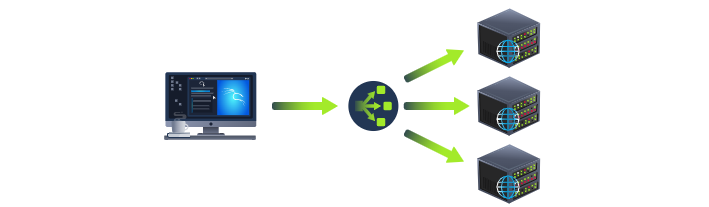
Other Components:
Content Delivery Network (CDN)
A CDN is a way to speed up websites and reduce the workload on the main server. It stores copies of the website’s static files (like images, videos, JavaScript, and CSS) on thousands of servers all around the world. When someone visits the website, the CDN sends them files from the closest server instead of one far away, making the website load faster and cutting down on traffic for the main server.
Databases Websites often need a place to store information, such as user accounts, orders, or content. Databases are like organized storage spaces for this data, which websites can easily save to and pull information from. Some databases are very basic, while others are large and powerful, working across multiple servers for speed and reliability. Common types of databases include MySQL, MongoDB, and PostgreSQL, each with its own advantages.
Web Application Firewall (WAF) A WAF is a security guard for a website. It sits between visitors and the website’s server, checking every request for anything that looks suspicious or harmful. The WAF watches for signs of hacking, checks if requests come from real users instead of bots, and limits how many requests can come from one place to prevent overloads. If it detects a dangerous request, it blocks it from ever reaching the website, helping to keep it safe.
Question
What can be used to host static files and speed up a clients visit to a website?
Click to see Answer
CDN
Question
What does a load balancer perform to make sure a host is still alive?
Click to see Answer
Health Check
Question
What can be used to help against the hacking of a website?
Click to see Answer
WAFTask 3 How webservers Works
What is a Web Server? A web server is like a digital waiter for websites. It listens for visitors asking for web pages, then serves up those pages using a set of rules called HTTP. Common web server programs include Apache, Nginx, IIS, and NodeJS. These servers store website files in a specific folder on the server’s hard drive (called the root directory). For example, if you visit http://www.example.com/picture.jpg, the web server finds that file in its root directory and sends it back to your browser.
Virtual Hosts
A web server can host multiple websites with different addresses, or domains (like one.com and two.com), by using virtual hosts. Virtual hosts act like different rooms in the server’s “house,” each dedicated to a specific website. When a visitor requests a website, the web server checks which room (or virtual host) it belongs to and serves it from the correct folder. If it doesn’t find the right room, it shows a default page.
Static vs. Dynamic Content
Static Content: This is content that doesn’t change, like images, JavaScript, CSS, and certain types of HTML. The web server simply sends these files directly to your browser without any changes.
Dynamic Content
This content can change depending on what the visitor does. For example, on a blog, new posts show up on the homepage as they’re published. If you search for a keyword, you get different results based on what you searched. All these changes happen on the Backend, where programming languages process requests, access databases, and return results. The Frontend is what you see and interact with in your browser, while the Backend does the invisible work behind the scenes.
Scripting and Backend Languages
Backend languages like PHP, Python, Ruby, and NodeJS add interactivity to a website. They can connect to databases, manage user input, and respond based on what the visitor does. For instance, if you visit a page like http://example.com/index.php?name=adam, the server might use a simple PHP script to add “Hello, Adam” to the page. Visitors only see the result; they don’t see the backend code that created it.
Because the Backend can process lots of data and run many functions, web applications need to be built securely to prevent vulnerabilities.
Question
What does web server software use to host multiple sites?
Click to see Answer
Virtual Hosts
Question
What is the name for the type of content that can change??
Click to see Answer
Dynamic
Question
Does the client see the backend code? Yay/Nay
Click to see Answer
NayTask 4 - Quiz
The Quiz
Click the “View Site” button on the right. Using everything you’ve learnt from the other modules, drag and drop the tiles into the correct order of how a request to a website works to reveal the flag.
Note: When placing a tile in the correct position, it will highlight in green. When a tile is in the wrong spot, it will highlight in red. Make sure not to refresh the page, as it will reset the tiles all to blank again!
Question
Flag(get the flag from the site)
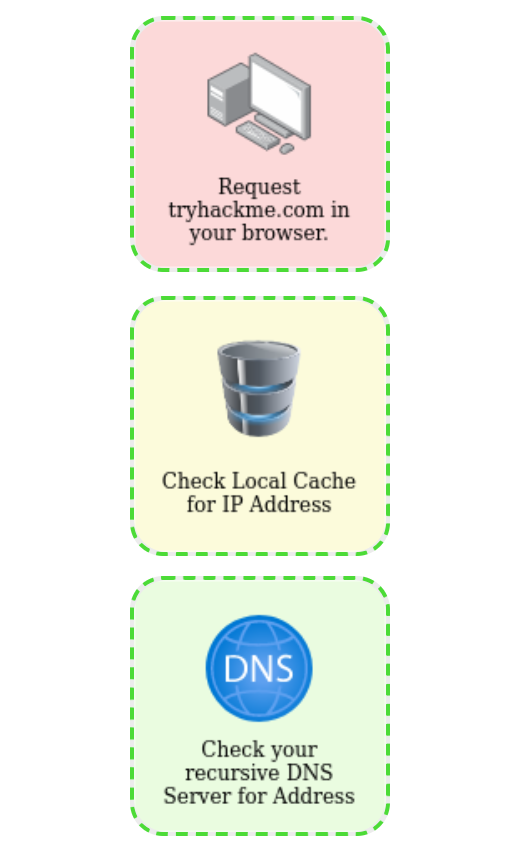
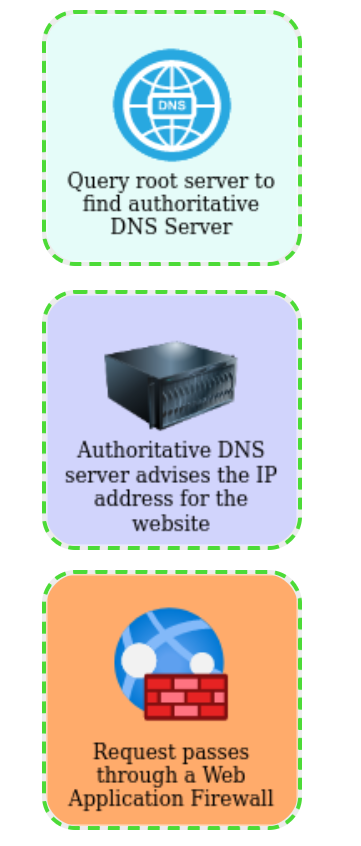
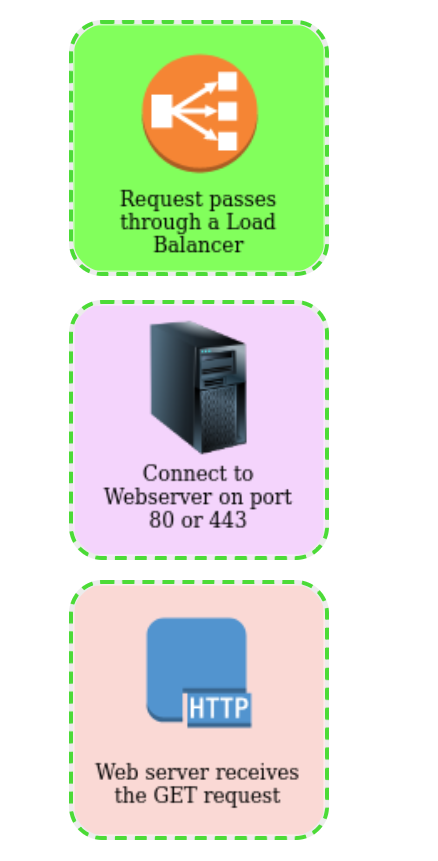
-
Make the Request to tryhackme.com in Your Browser: When you enter tryhackme.com in the browser, your device initiates a request, trying to connect to the IP address for that website. The browser doesn’t know the IP yet, so it begins a process to find it.
-
Check Local Cache for IP Address: Your device first looks in its local cache to see if it has recently visited tryhackme.com. If it finds the IP address here, the lookup process is much faster, and it can skip further steps. If not, it proceeds to the next step.
-
Check Recursive DNS Server: The recursive DNS server (often run by your ISP or a public DNS provider like Google) is designed to handle DNS requests from clients. If it has the IP address cached, it returns it directly. If not, it starts querying other DNS servers.
-
Query Root Server to Find Authoritative DNS Server: If the recursive server doesn’t know the IP address, it contacts a root DNS server. The root server doesn’t know specific domain addresses but can direct the recursive server to the authoritative DNS server for the requested domain.
-
Authoritative DNS Server Provides IP Address for the Website: The authoritative DNS server is the final source for the domain’s IP address. It stores the DNS records for tryhackme.com and returns the IP address to the recursive DNS server, which then passes it back to your device.
-
Request Passes Through a Web Application Firewall (WAF): Before reaching the web server, the request is filtered by a WAF. This step protects the website by checking for malicious activity, ensuring that only safe requests reach the server.
-
Request Passes Through a Load Balancer: For sites with multiple servers, a load balancer helps distribute incoming requests evenly, preventing any single server from becoming overloaded and improving the website’s reliability.
-
Connect to Web Server: With the request validated and balanced, the load balancer directs it to one of the web servers that hosts tryhackme.com.
-
Web Server Receives GET Request: The web server receives your browser’s GET request for the page and begins processing it, potentially gathering content and other resources for the response.
-
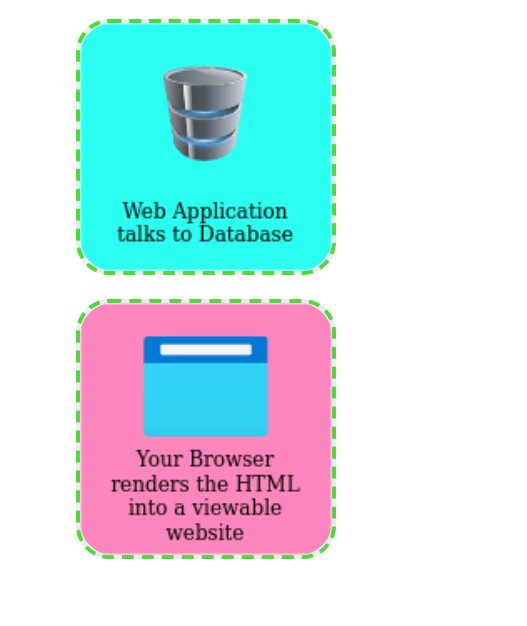
Web Application Talks to Database: If needed, the web application communicates with a database to retrieve specific information (e.g., user data or dynamic content) required to fulfil the request. Your Browser Renders the HTML into a Viewable Website:
-
Finally, the web server sends back the HTML and other assets (like CSS and JavaScript) to your browser. Your browser interprets these files and renders the web page, so you can see and interact with tryhackme.com
Click to see Answer
THM{YOU_GOT_THE_ORDER}See you in the next room..